Features
Plan with your team. Build on your own machine.
SuDuo connects your team's requirements board and discussion rooms to the Codex on each developer's computer. Here is what it does today, with screenshots of the real app.
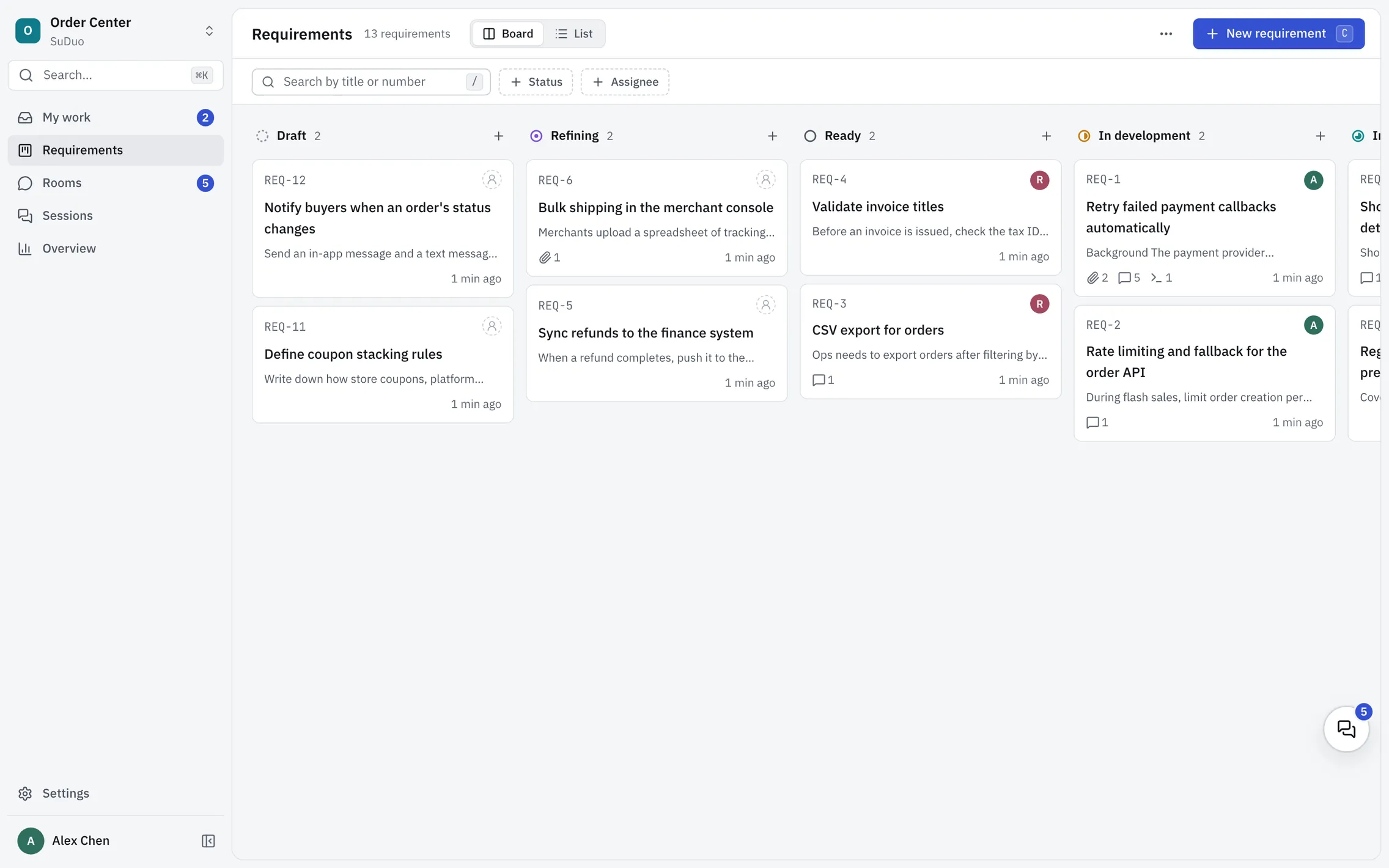
Requirements board and pages
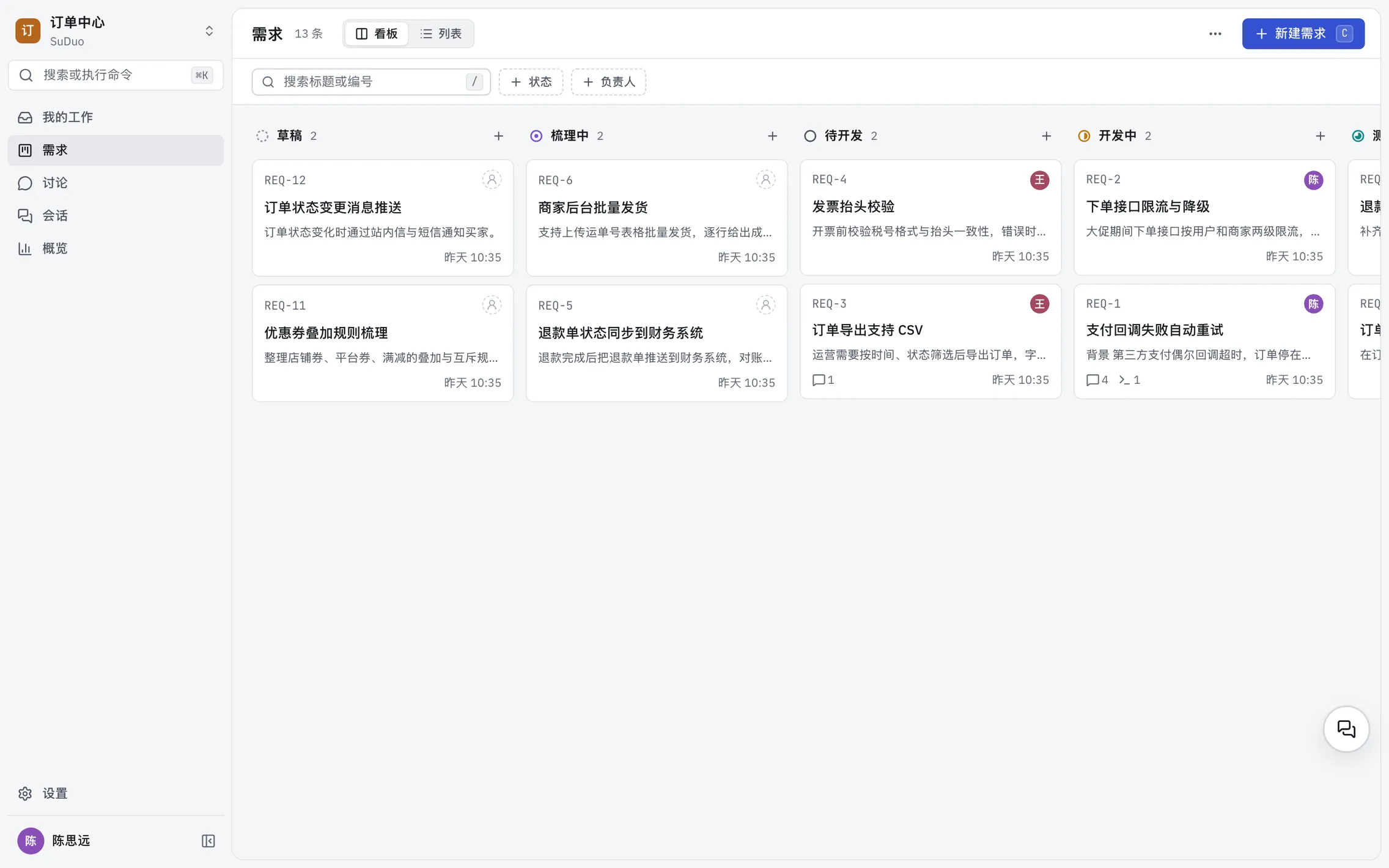
Your team's requirements sit on one board, from Draft to Done, so everyone can see who is on what and how far along it is. Each requirement has its own page with the description, comments, attachments and activity in one place.
- Board and list views, seven statuses, assignees and
REQ-nnumbers - Requirement pages with Markdown, comments, attachments and a full activity history
- Confirmed versions publish the agreed set of materials, so everyone builds from the same files
Project and requirement rooms
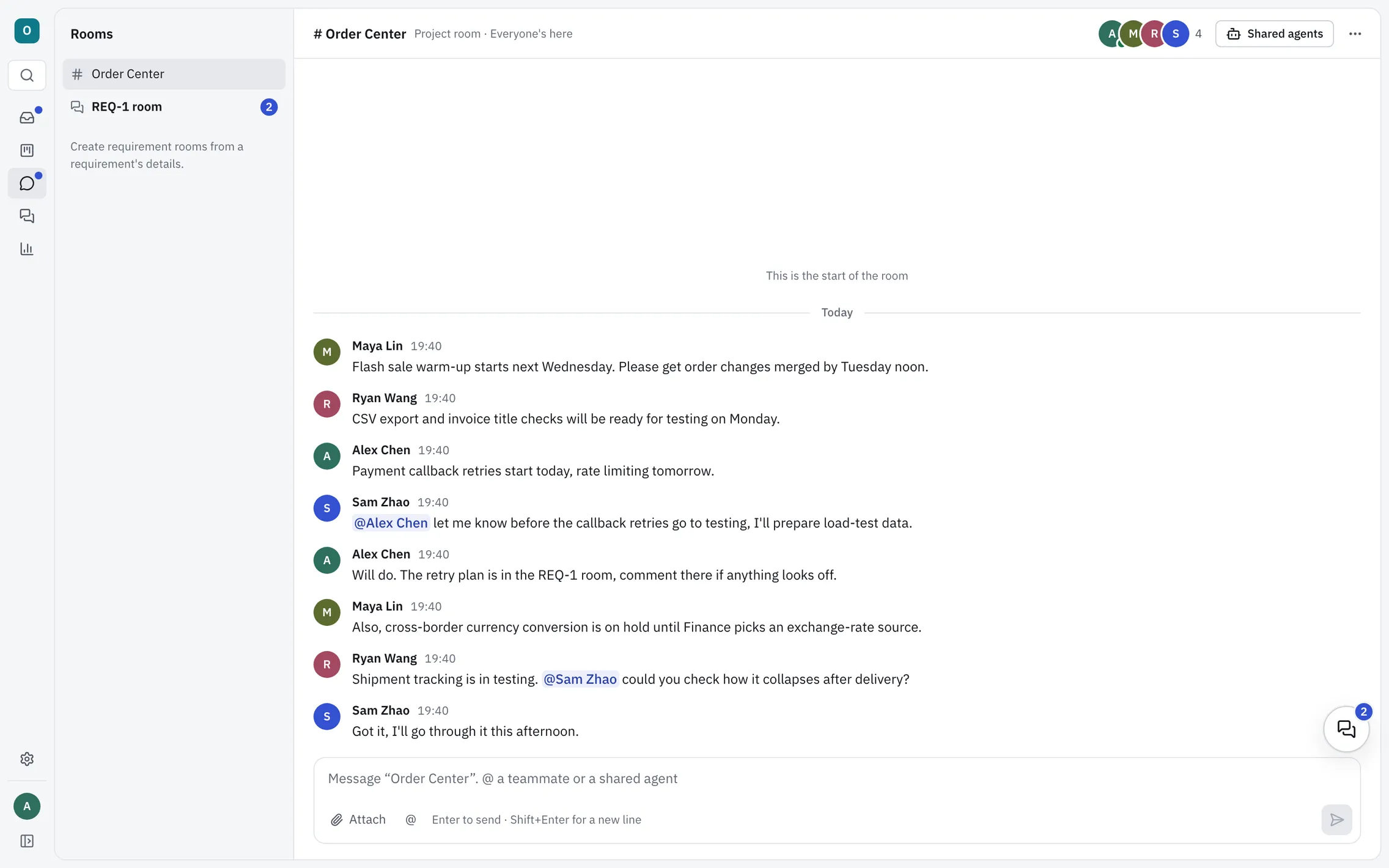
Every project comes with a room that the whole team is in, and any requirement can have rooms of its own. The back-and-forth stays next to the work instead of getting lost in a chat app.
- Threads, @mentions, files and video
- A requirement's page shows its rooms and their latest message
- Floating room windows that stay open while you move around
- Messages and files are stored on the server your team runs
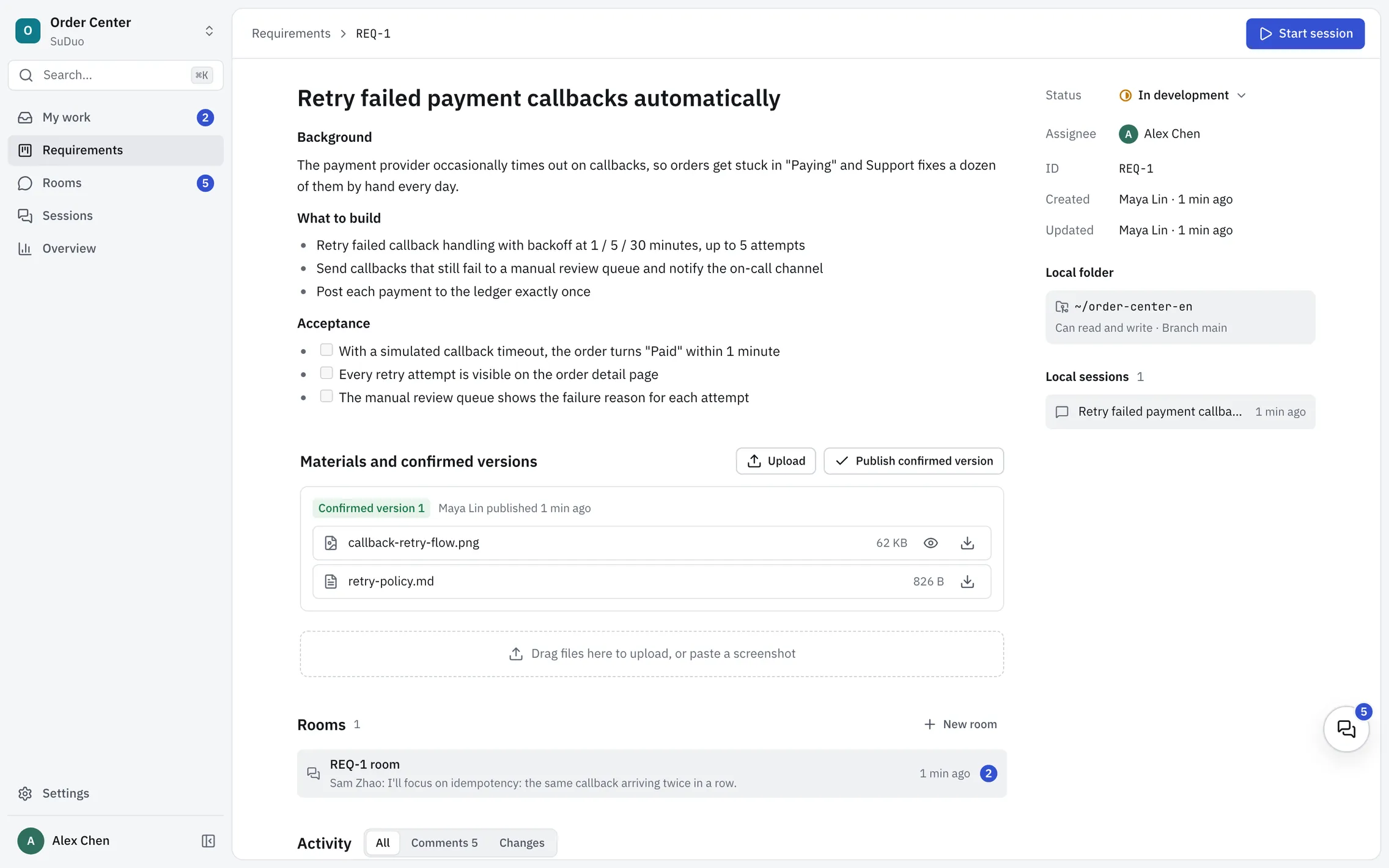
Start work from a requirement
Click Start session on any requirement, and SuDuo starts a Codex session in that project's folder on your computer. The requirement card and SuDuo's tools come with it, so Codex can read the requirement, its comments and attachments, and write its conclusions back. No copying and pasting.
- Choose a project's local folder once, then start from any requirement
- Sessions stay linked to their requirement, and the requirement page lists them
- If the requirement changes after you've started, My work tells you
- Code, sessions and model credentials stay on your computer
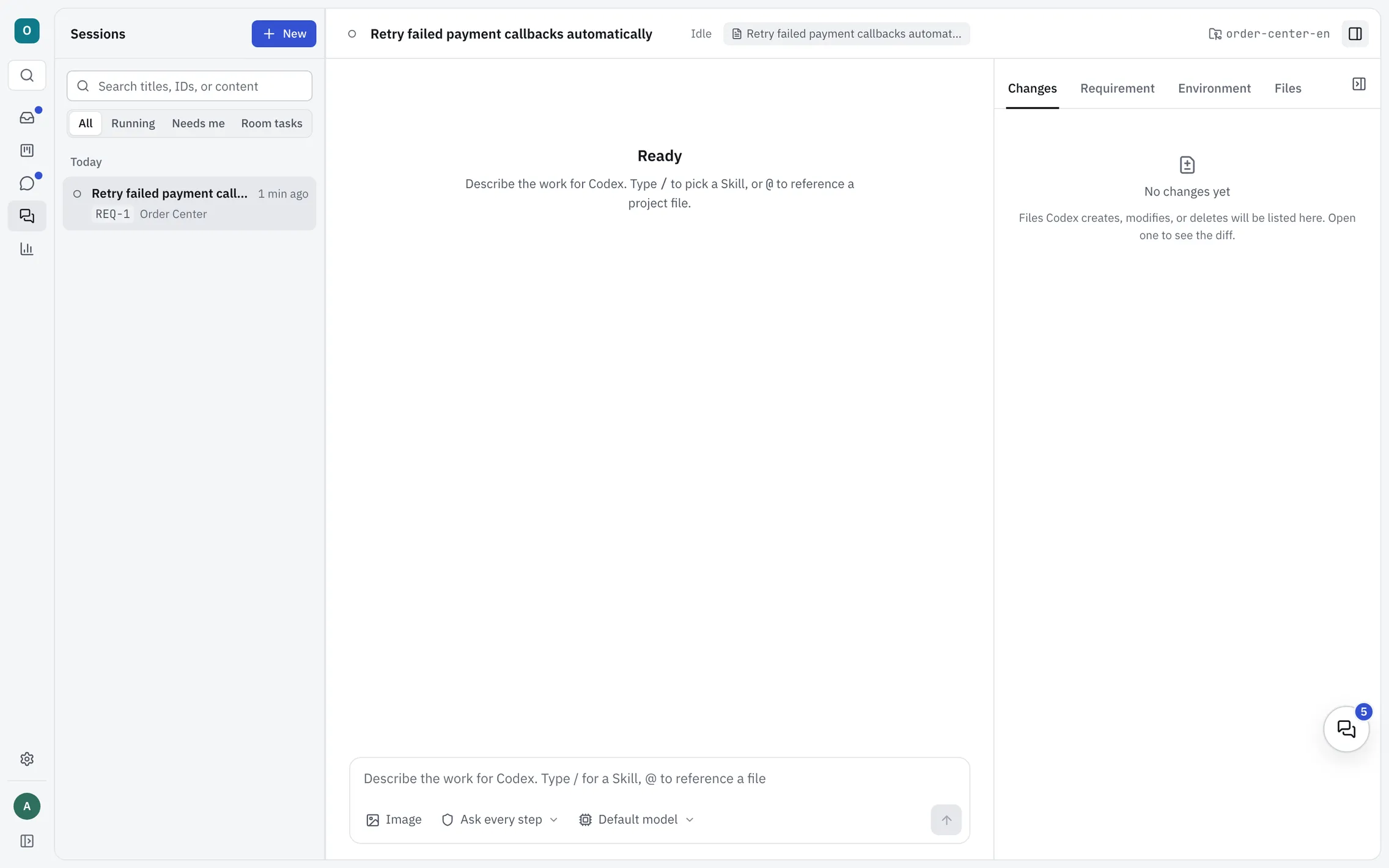
Approvals and file changes
Everything Codex does lands on one timeline, from the actions waiting for your approval to the commands it ran, the files it changed and their diffs. Going back is easy too, with checkpoints you can restore in one click.
- Approvals, commands, file changes and diffs in one timeline
- Git checkpoints, with an optional checkpoint before every turn and one-click restore
- Skills,
@file references and a message queue in the composer - File paths in answers open a preview at the right line, or open in VS Code
My work and Overview
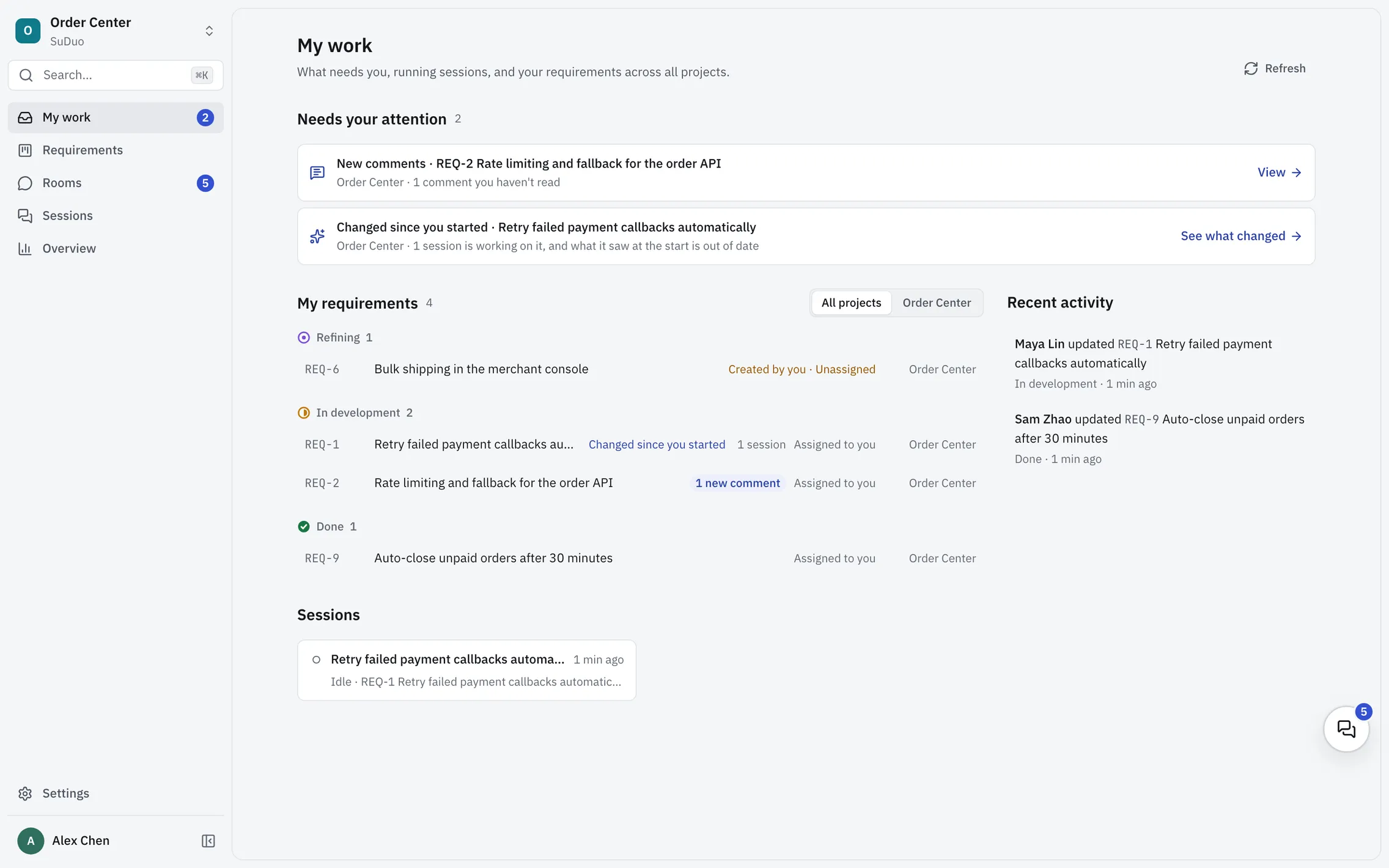
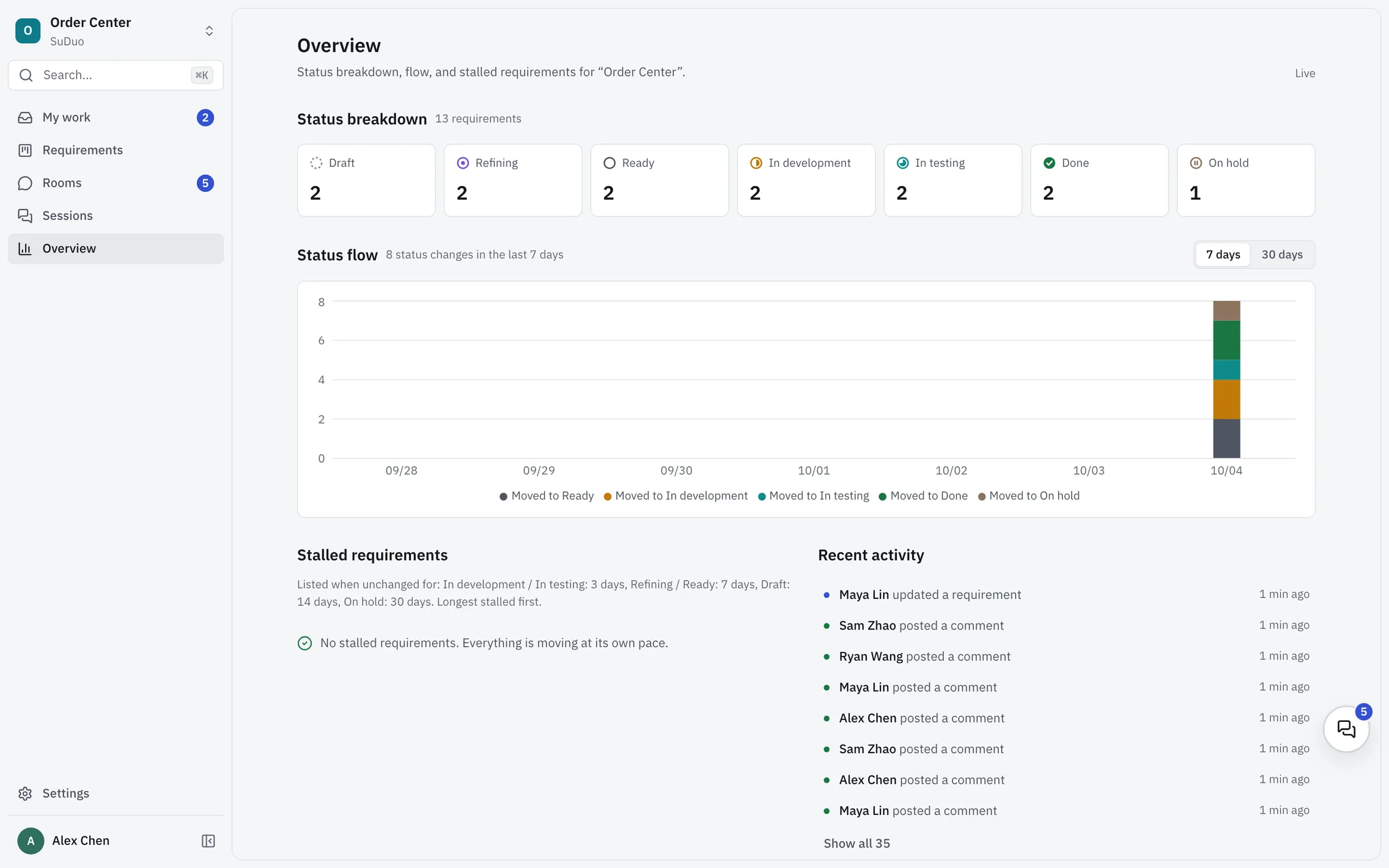
My work gathers what needs you across every project, and Overview shows a project's status breakdown, flow and stalled requirements. Open these two pages first and you know where to start.
- My work: approvals waiting for you, new comments, requirements that changed since you started, plus your requirements, your sessions and recent activity
- Overview: how many requirements are in each status, status flow over the last 7 or 30 days, stalled requirements and recent activity
English and Chinese interface
The interface is available in English and Simplified Chinese. It follows your system language by default, and you can change it under Settings → Appearance → Language. Each person picks their own, and the choice is saved in their browser, so one team can work in both.
- Only SuDuo's own text changes language; requirements, comments, messages and Codex's answers are shown as written, never translated
- SuDuo asks Codex to reply in the language you write in
- The command line and the server script follow the system language too; set
SUDUO_LOCALEto choose
Also included
- Light and dark themes, or follow the system
- Keyboard shortcuts and a command palette
- A hint when the client and server versions differ
Run it on your own server
The server installs with one command on Linux with Docker. The client runs from source on macOS and Windows.