Self-hosted · Team requirements × local AI coding
Requirements with your team.
Code on your machine.
SuDuo connects your team's shared requirements and discussions to the Codex running on each developer's computer. Start work straight from a requirement — code and sessions stay on your machine, and the server runs on your own infrastructure.
Your team's shared requirements and discussions, connected to the Codex on each developer's computer. Start work from a requirement — code and sessions stay on your machine.
Client: macOS · Windows | Server: Ubuntu / Linux
Team · Requirements
- Retry failed payment callbacks
- Export reports as CSV
Local · Codex session
› Read requirement REQ-128
› Edit src/payment/callback.ts
› Run tests
✓ All tests passed
Why SuDuo
Shared requirements & discussion
Requirements, attachments and project rooms live on your team's server — everyone sees the same thing.
One click to start work
Open a local Codex session right from a requirement. The requirement card and the tools to look up the rest come with it.
Self-hosted, in your hands
Run the server on your own machines. Repositories and personal sessions are never uploaded to it.
How it works
Requirements on your server, code in your hands
The team server keeps requirements and discussions. Each developer's computer keeps the code and runs Codex. When you start work on a requirement, SuDuo hands it to the session on your machine.
Team server
Deployed by your team
- Projects and requirements
- Comments, attachments and confirmed versions
- Rooms and messages
- Accounts and activity history
Each developer's computer
Runs the SuDuo client
- Code repositories
- Codex sessions and approvals
- Codex configuration and model credentials
- Which local folder belongs to which project
Codex calls it directly
Your model serviceOpenAI or a compatible provider
Your repositories and personal sessions are never uploaded to your team's server, and there is no central SuDuo service for them to pass through. When Codex works, it sends the context it needs — including code it has read — straight to the model service you configured. When you share your agent into a room, its answers and what it did are posted in the room, and they can include code.
How it works, and where your data livesProduct
Requirements, rooms and sessions in one workspace
Real screenshots of the English interface. The demo data is made up.
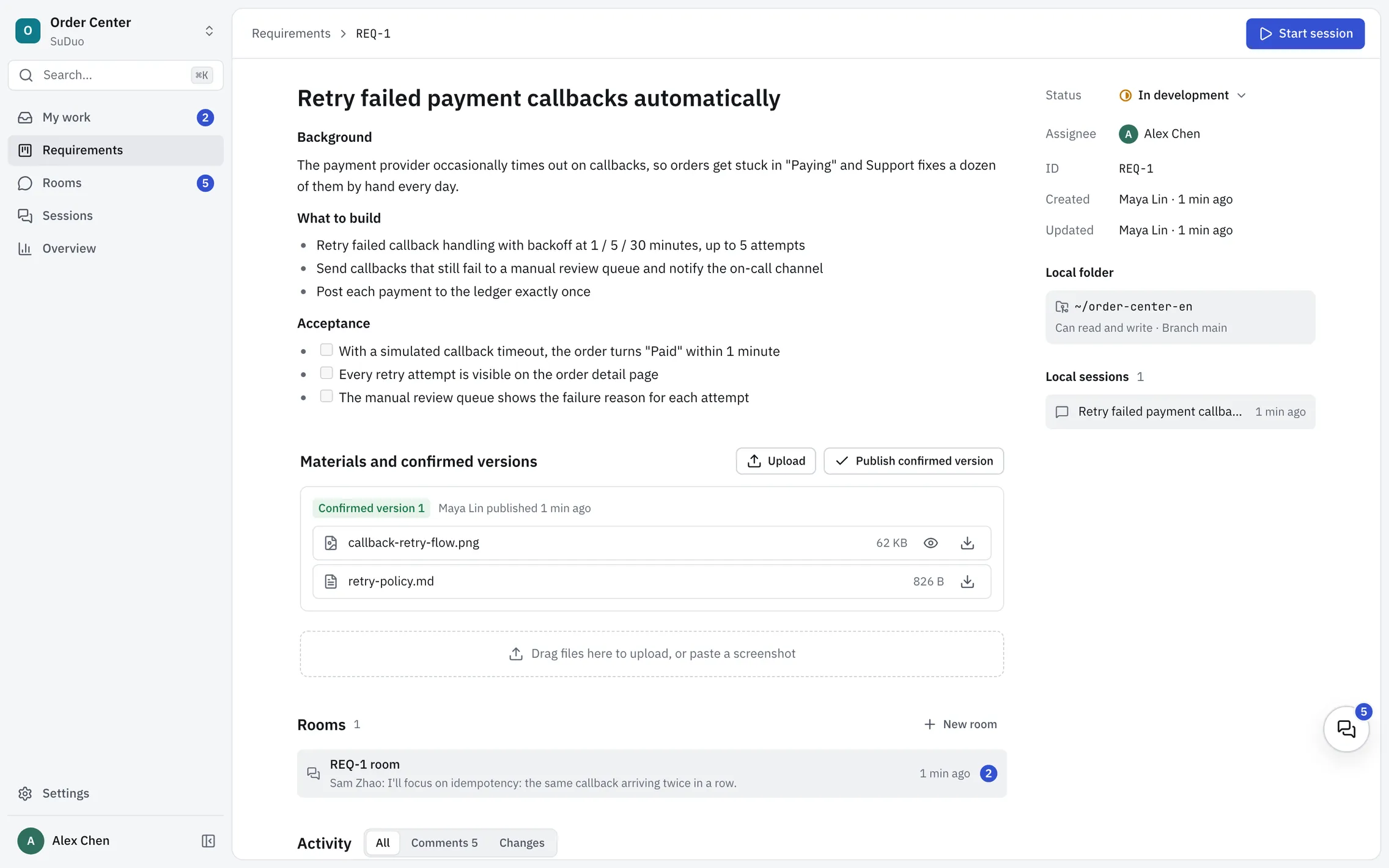
A requirement page: the description, materials and confirmed versions, rooms and activity on the left; status, the local folder and local sessions on the right, with Start session at the top.
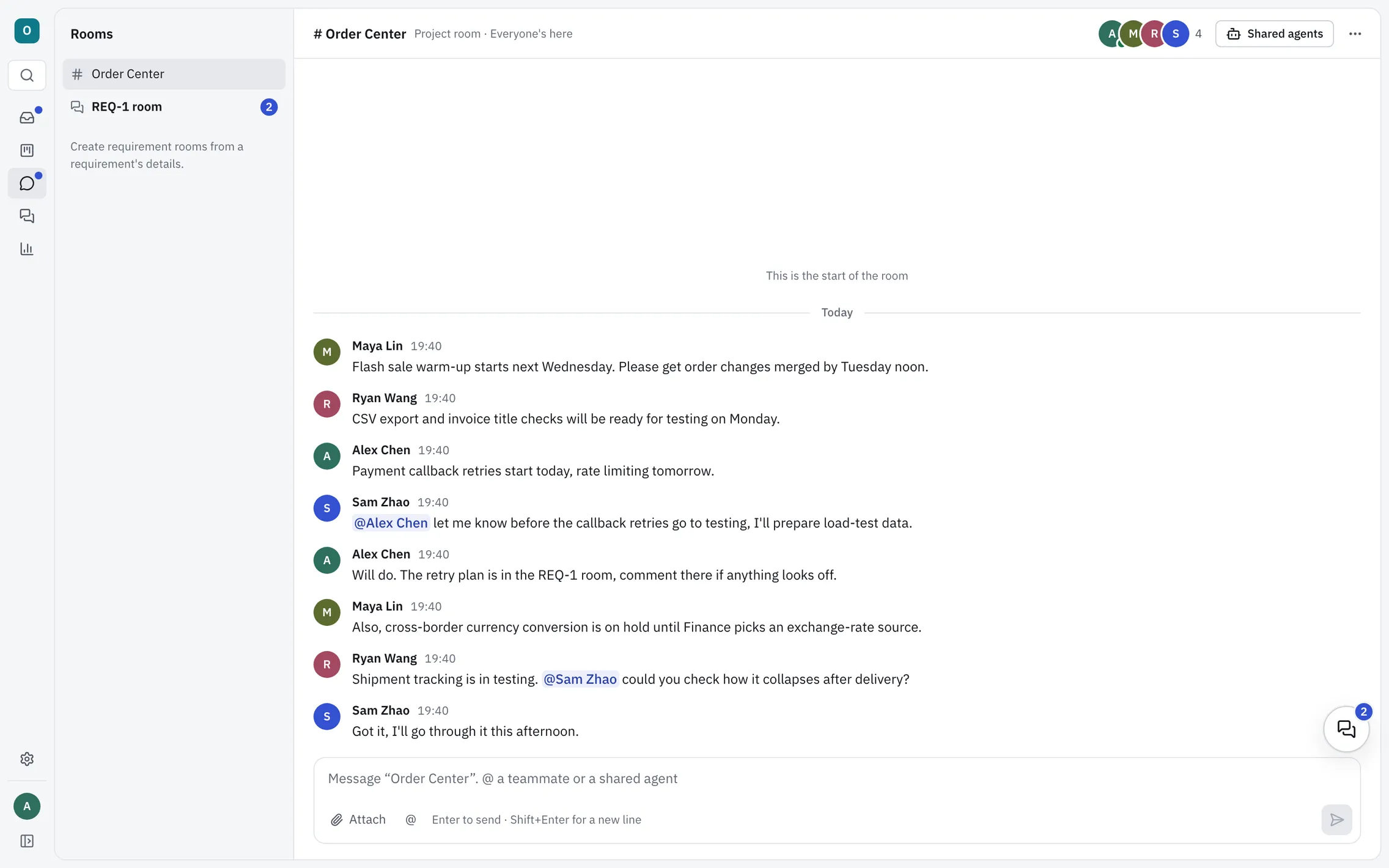
A project room: one for every project, with threads, @mentions and files. Shared agents brings your Codex into the conversation.
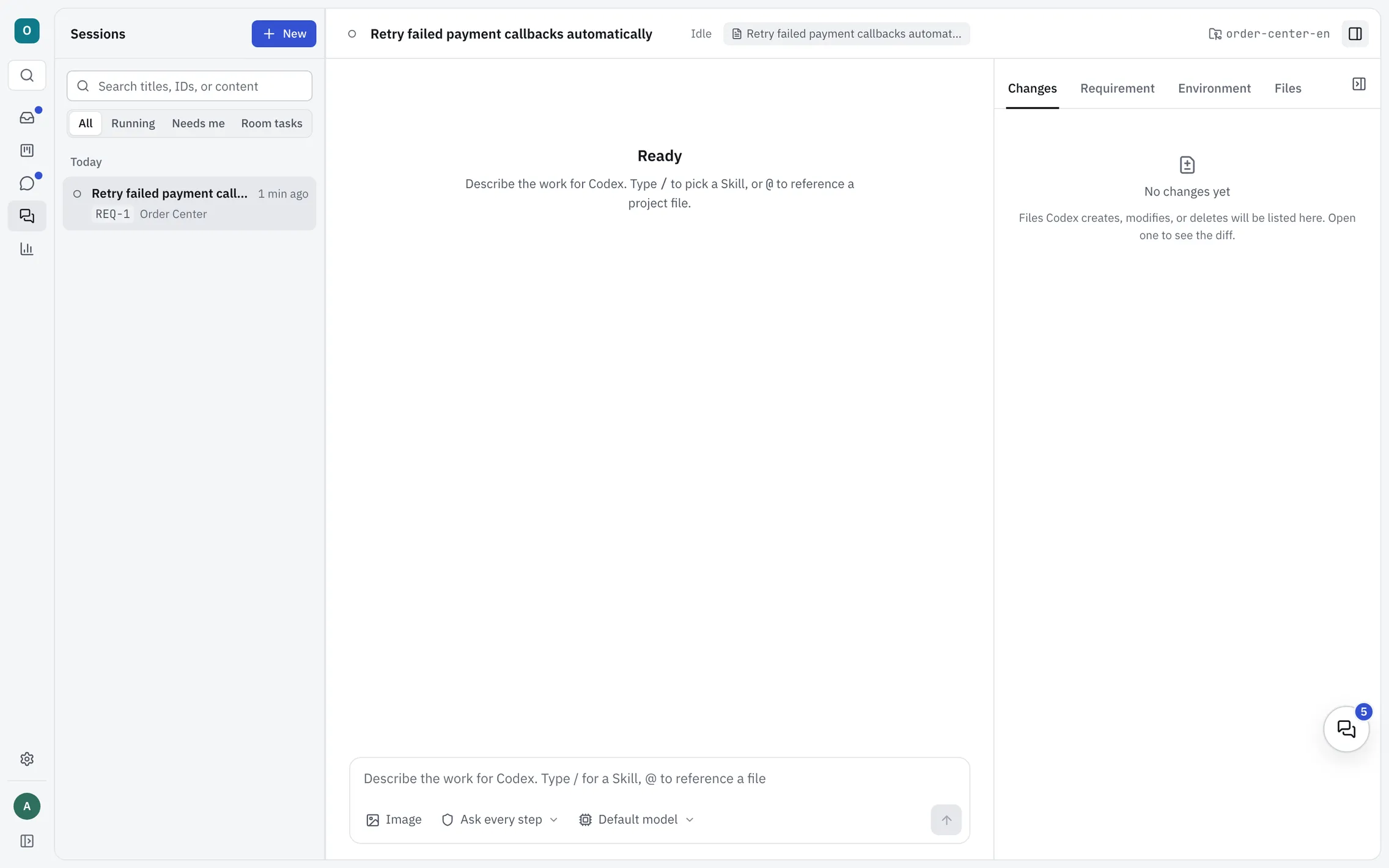
A local session started from a requirement. The side panel lists the files Codex changes, and shows the requirement whenever you need it.
Platforms
Supported platforms
The client runs from source on each developer's computer. The server runs with Docker on a Linux machine.
Client
- macOS 13.5 or later (Apple silicon or Intel)
- Windows 10 / 11 (x64)
Needs Node.js 24, pnpm 10.25 and git. There is no installer yet.
Server
- Ubuntu 22.04 / 24.04
- Other Linux with Docker (best effort)
At least 2 CPU cores and 4 GB RAM, with Docker (including Compose) and git.
- Model: a ChatGPT sign-in for Codex, or an API key for OpenAI or a compatible service.
- Tested most on macOS (Apple silicon) and Ubuntu. Windows and Intel Macs are supported but have had less testing.
Get started
Deploy the server in three steps
Once per team. The deployment guide covers upgrades, backups and HTTPS.
Prepare a Linux server
Ubuntu 22.04 / 24.04 with Docker (including Compose) and git, at least 2 CPU cores and 4 GB RAM.
Run the install script
Check out the latest release and run
sudo ./scripts/suduo-cloud.sh installincloud/. In mainland China, add--mirror cn. The first build takes about 3–8 minutes.Connect the clients
The script prints the address. Everyone enters it in the SuDuo client under Settings → Requirements service, registers, and starts work from a requirement.
There is no administrator or invitation system yet: anyone who can reach the server can register. Keep it on a private network or VPN, or behind a reverse proxy with access control.
Using SuDuo at a company?
Start right away, and register by email within 30 days of starting. Registration is currently free. Individuals using SuDuo for personal study, research or hobby projects with no anticipated commercial application, and schools, public research organizations, charities and government institutions, use it free with no registration.